1
Place the points
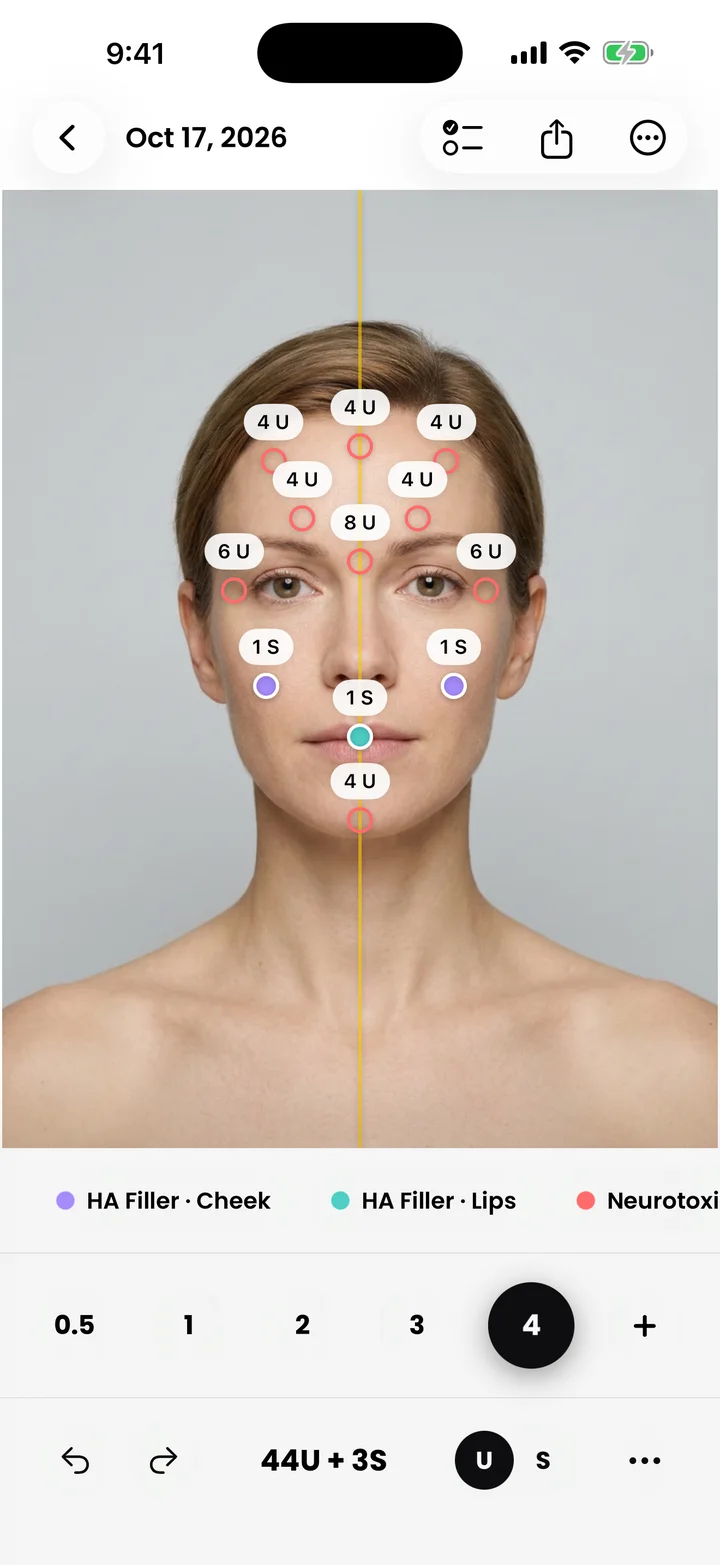
Tap once for each injection. Units and syringes add up as you go.
Map each injection with its product and dose, total the units and syringes, guide the before and after photos, and send a chart written from the map, on iPhone, iPad or Android.
First case free · Photos stay on the phone
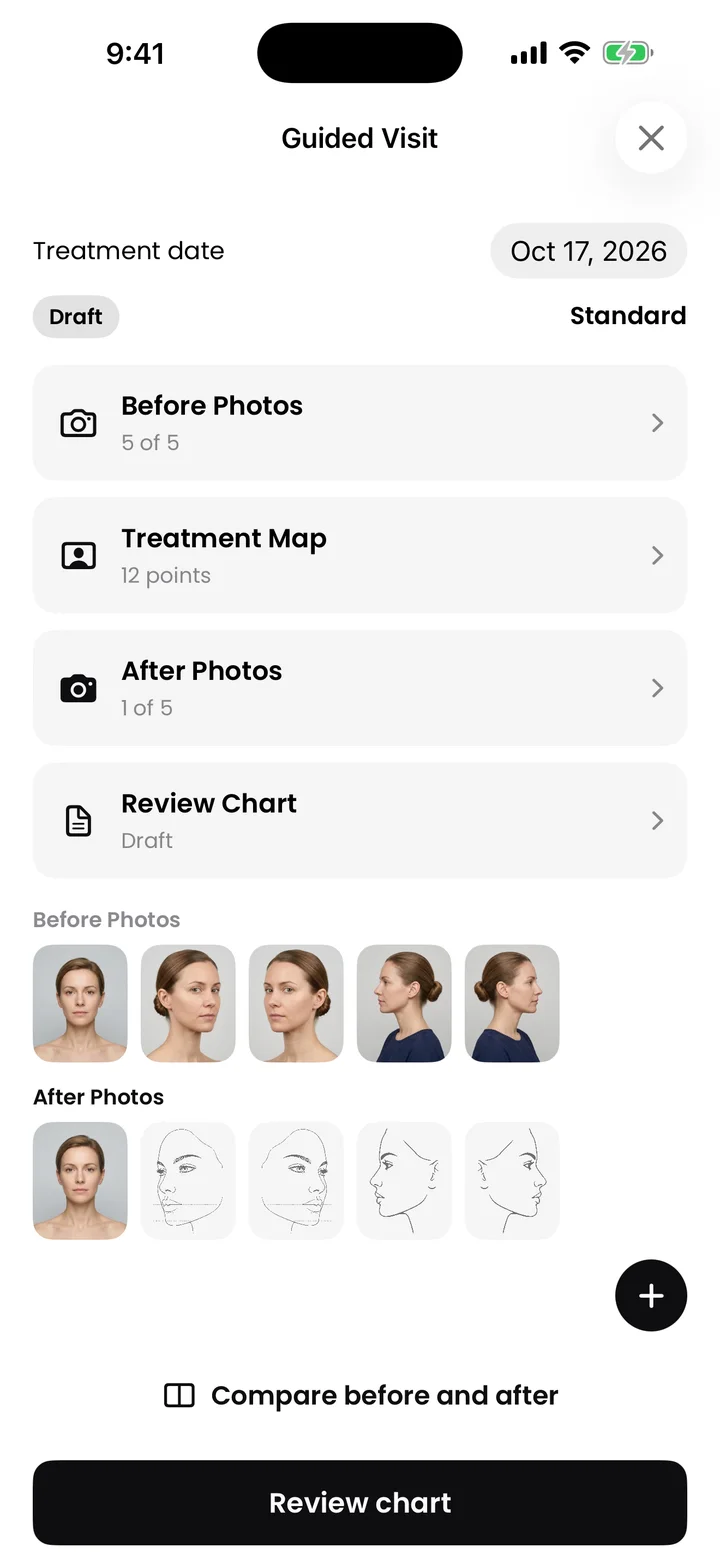
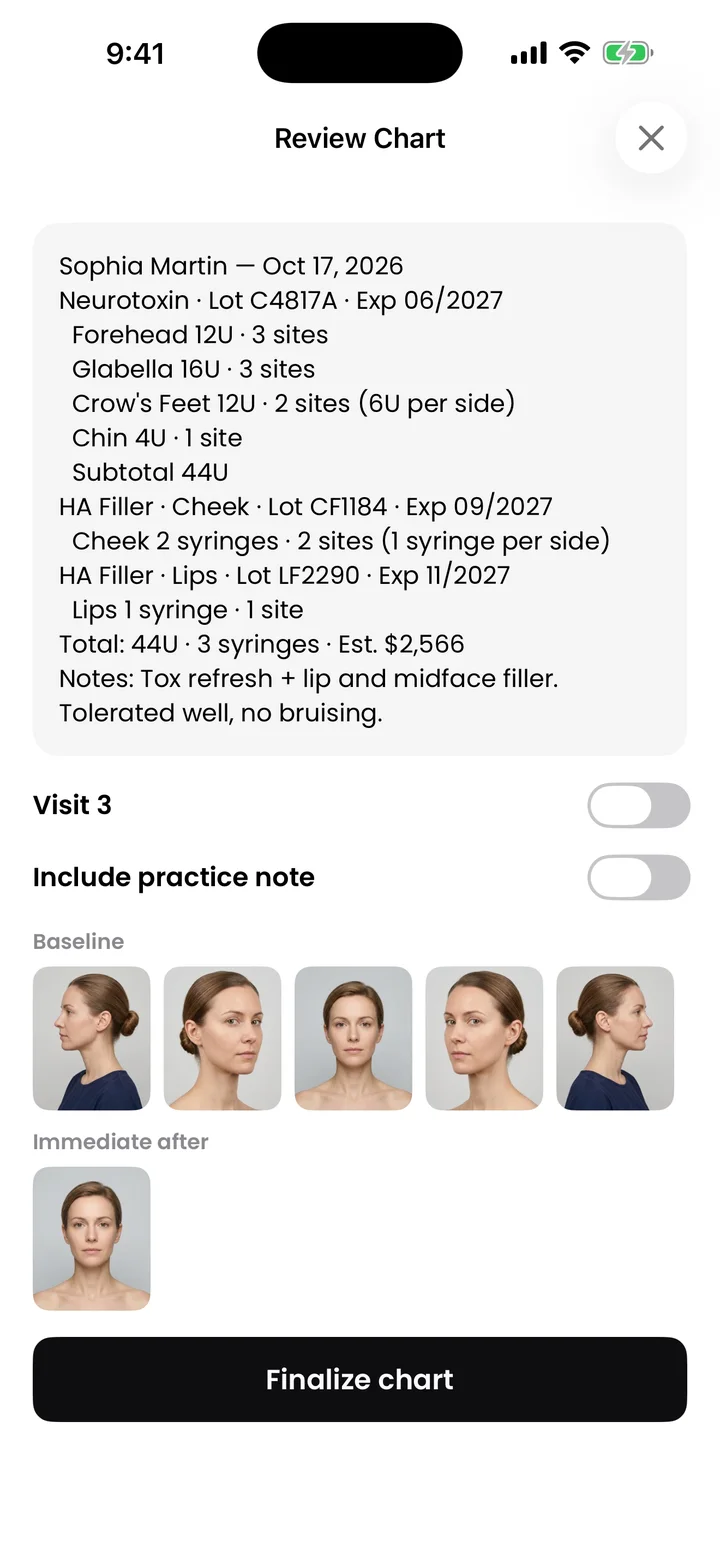
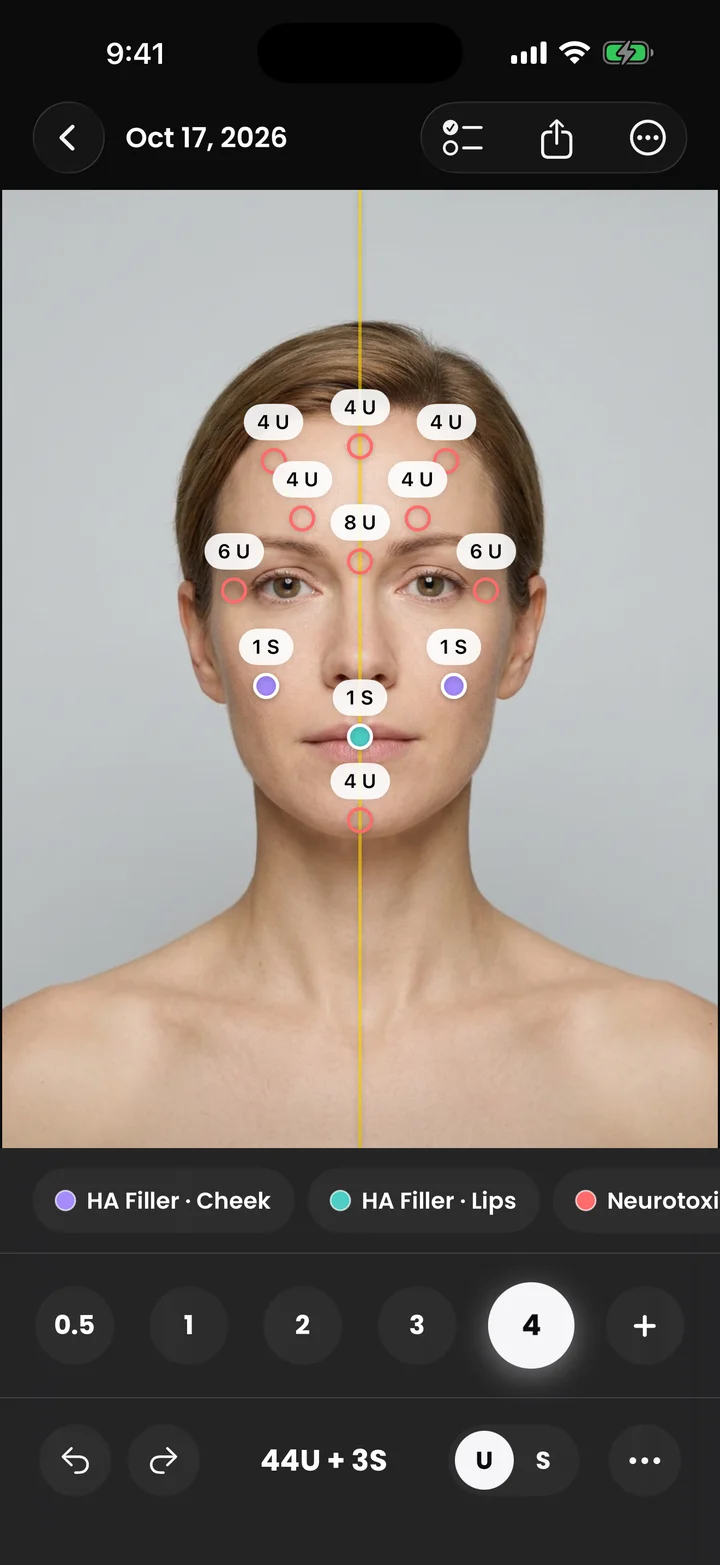
The same plan both ways: 12 points, 44 units of toxin and 3 syringes of filler.
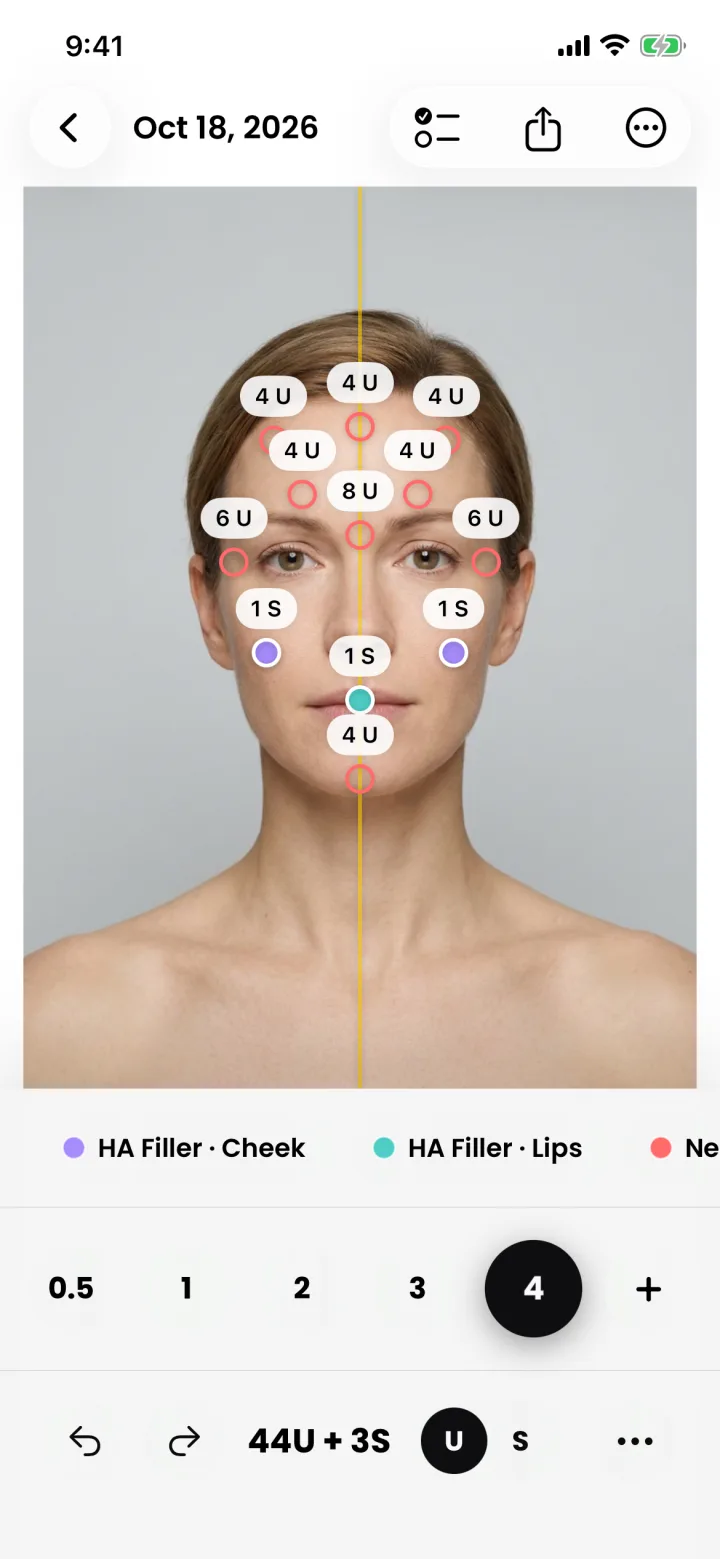
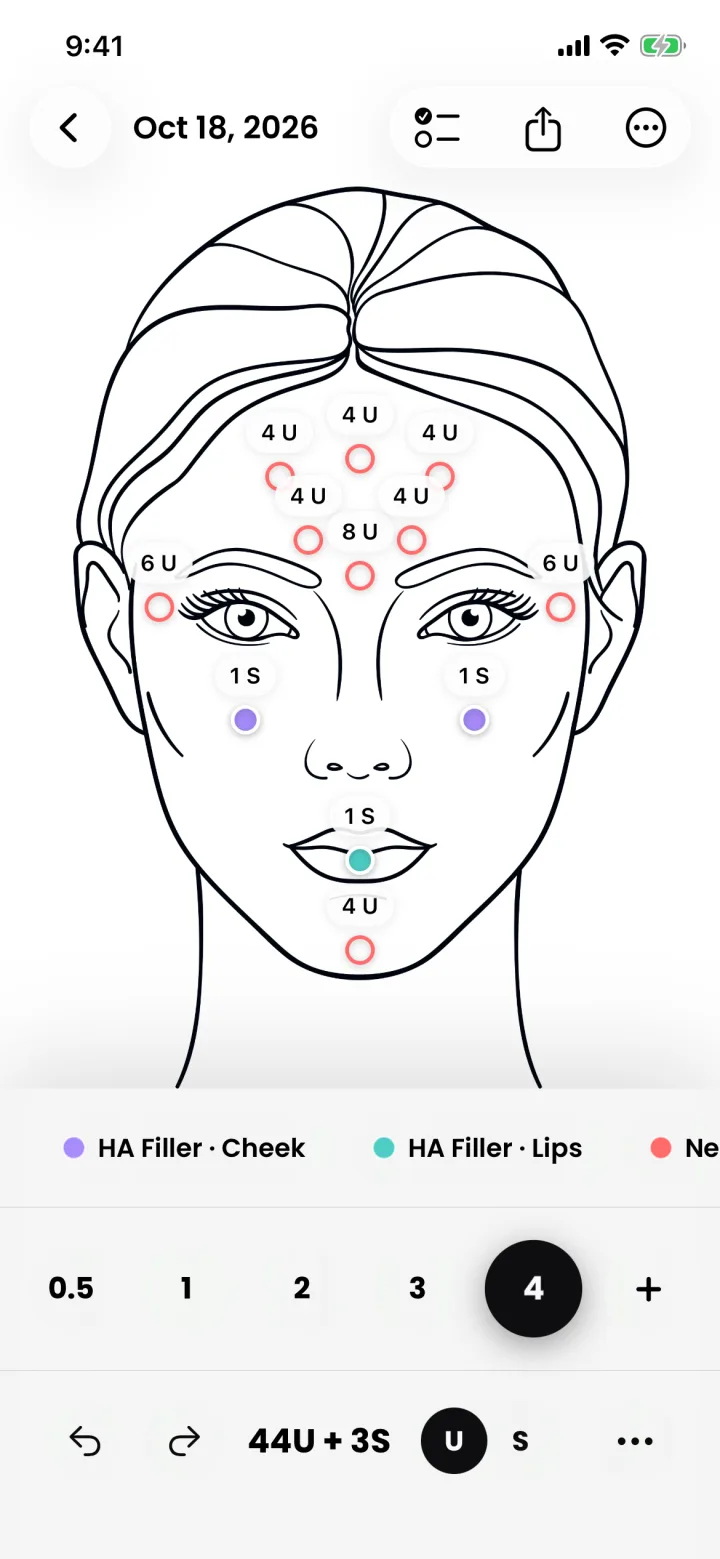
Place a point on one side. The other side follows.
Mirror both sides is on from the first tap.Nothing to set up before the first point.
Tap once for each injection. Units and syringes add up as you go.
Matched before photos, the map, then after photos. The app walks you through each one.
The chart writes itself from the map. Finalize it, then email today’s charts in one go.
The parts of the day that used to happen on paper.
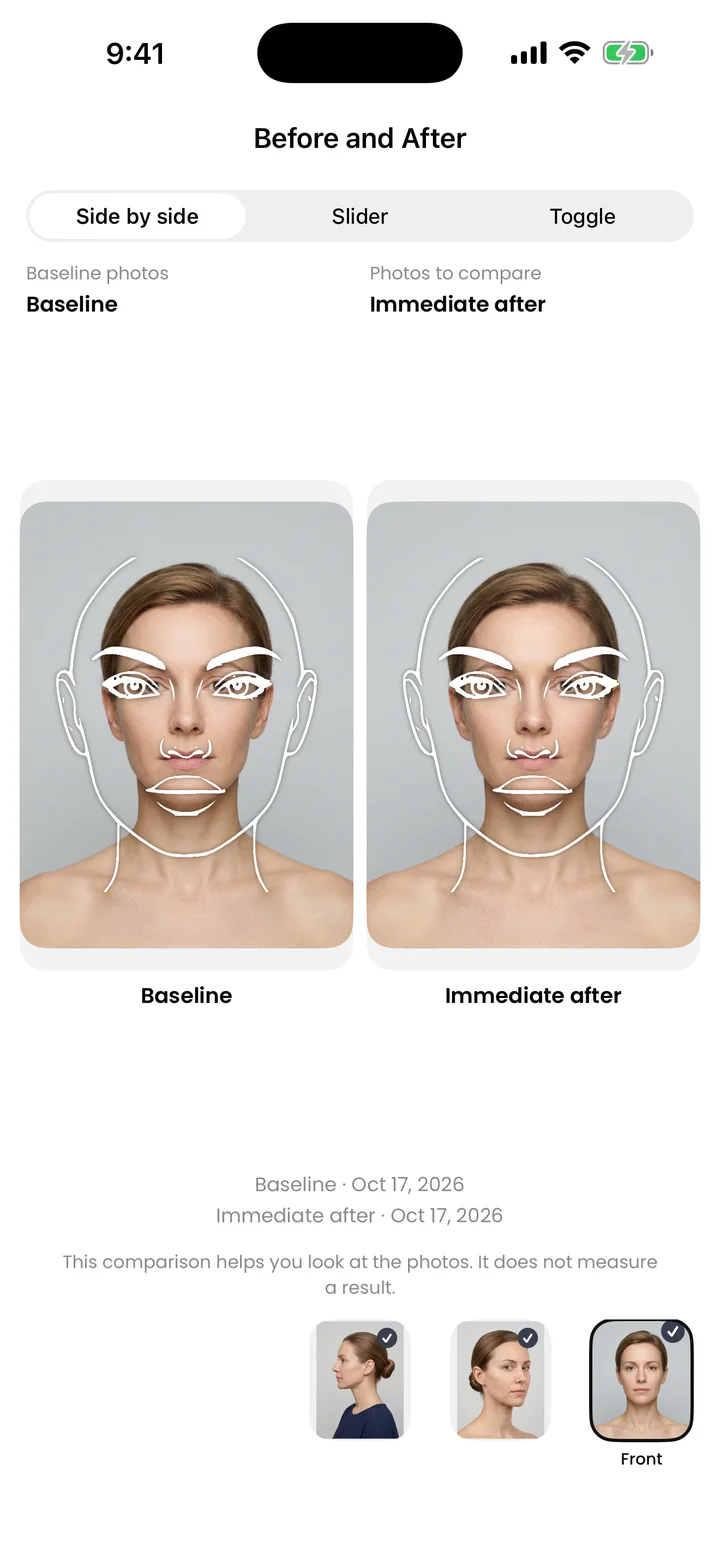
Matched angles with on-screen framing. Compare side by side, with a slider, or by toggling.
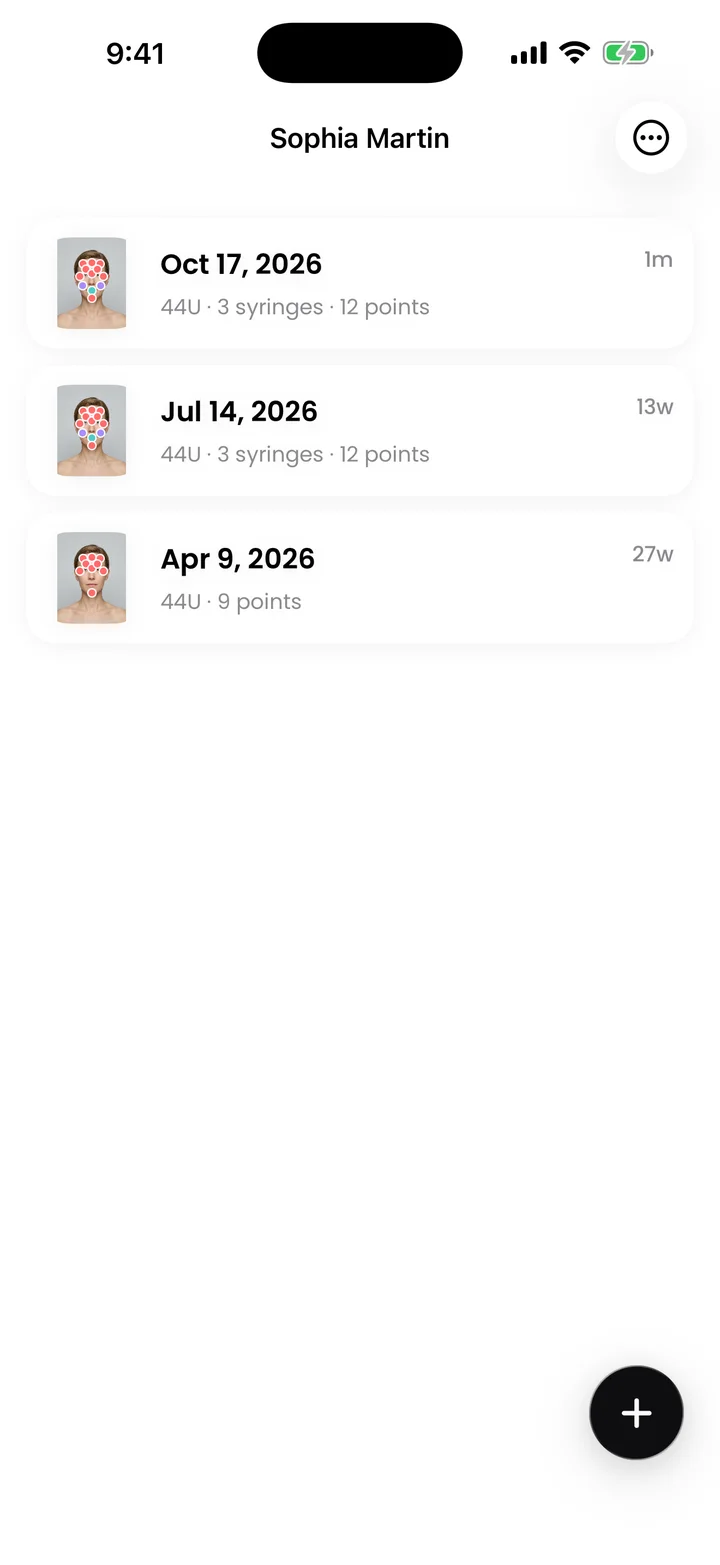
Each client keeps their photos and visit history. Repeat the last treatment in one tap.
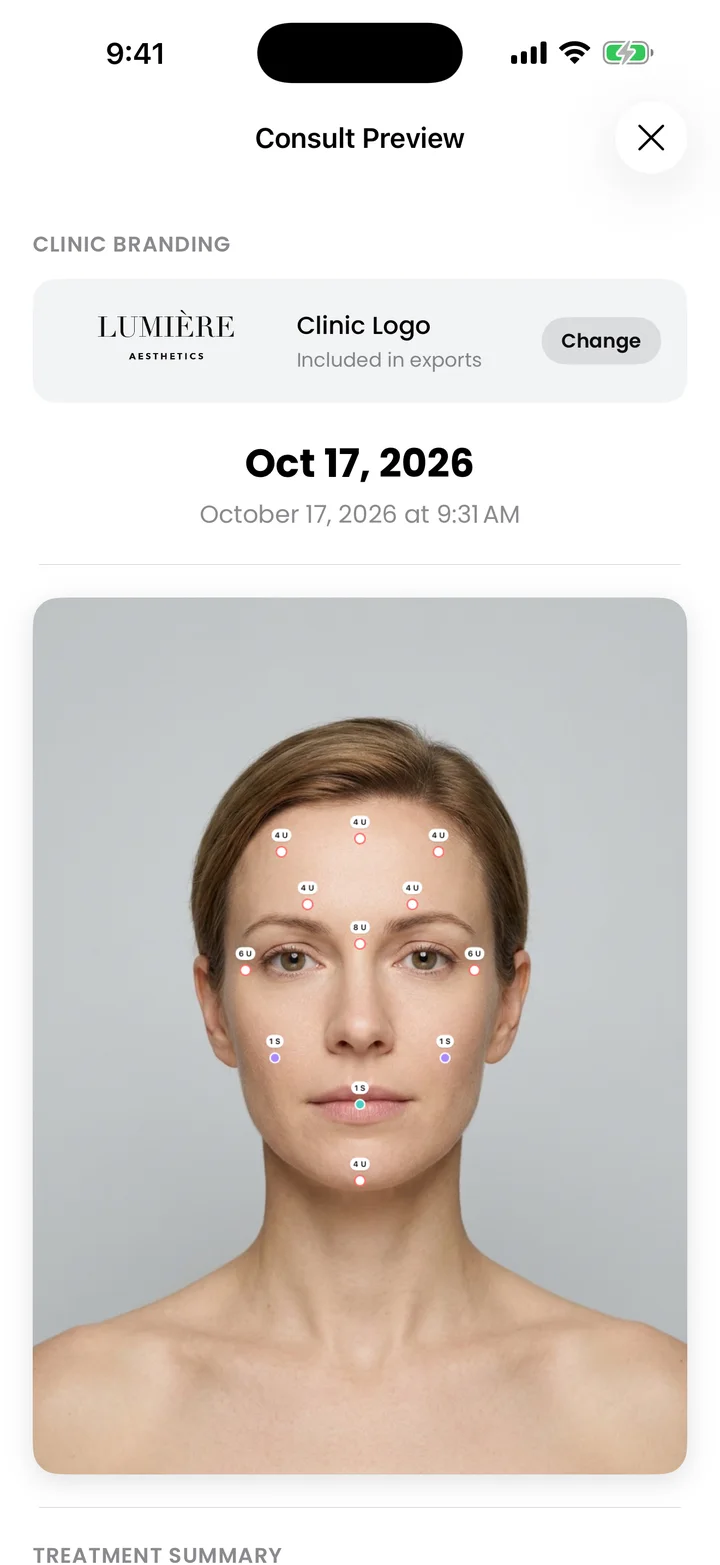
Your logo, the face map, and the estimate on one page to share with the client.
A dark mode that stays easy on the eyes under procedure lights.
Injector Planner is a facial mapping and charting app for aesthetic injectors on iPhone, iPad and Android, published by Medina Apps LLC since 2025, that maps each injection with its product and dose, totals units and syringes, guides before and after photos, and writes the chart note from the map, with cases and photos kept on the device.
Yes. Injector Planner maps each injection on a male or female face template, a lips close-up, or the client’s own photo, with the product and dose on every point and units and syringes totaled as you go.
Yes. Injector Planner writes the chart note from the map, with areas, units, products, lot numbers and expiry, and lets you email the day’s finalized charts in one go. Your clinic system stays the chart of record.
Injector Planner is free to download from the App Store and Google Play, your first case is free, and paid plans are offered inside the app.
Yes. Your first case is free and there is no account to create.
Yes. Map and chart on iPhone, iPad or Android, whichever is in the room.
Mirror both sides is on when you open a plan. Hold the center line and drag it to the middle of the face. A point on one side copies to the other.
Yes. Use a male or female template, a lips close-up, or the client’s own photo.
Yes. Areas, units, products, lot numbers and expiry come straight from the map. Finalize it, amend it later if you need to, and mark it as charted.
Your clinic system stays the chart of record. Copy or email the note into it. Mark as Charted is your confirmation that you filed it there.
On the phone. Cases and photos are not uploaded to our servers.

First case free · iPhone, iPad and Android